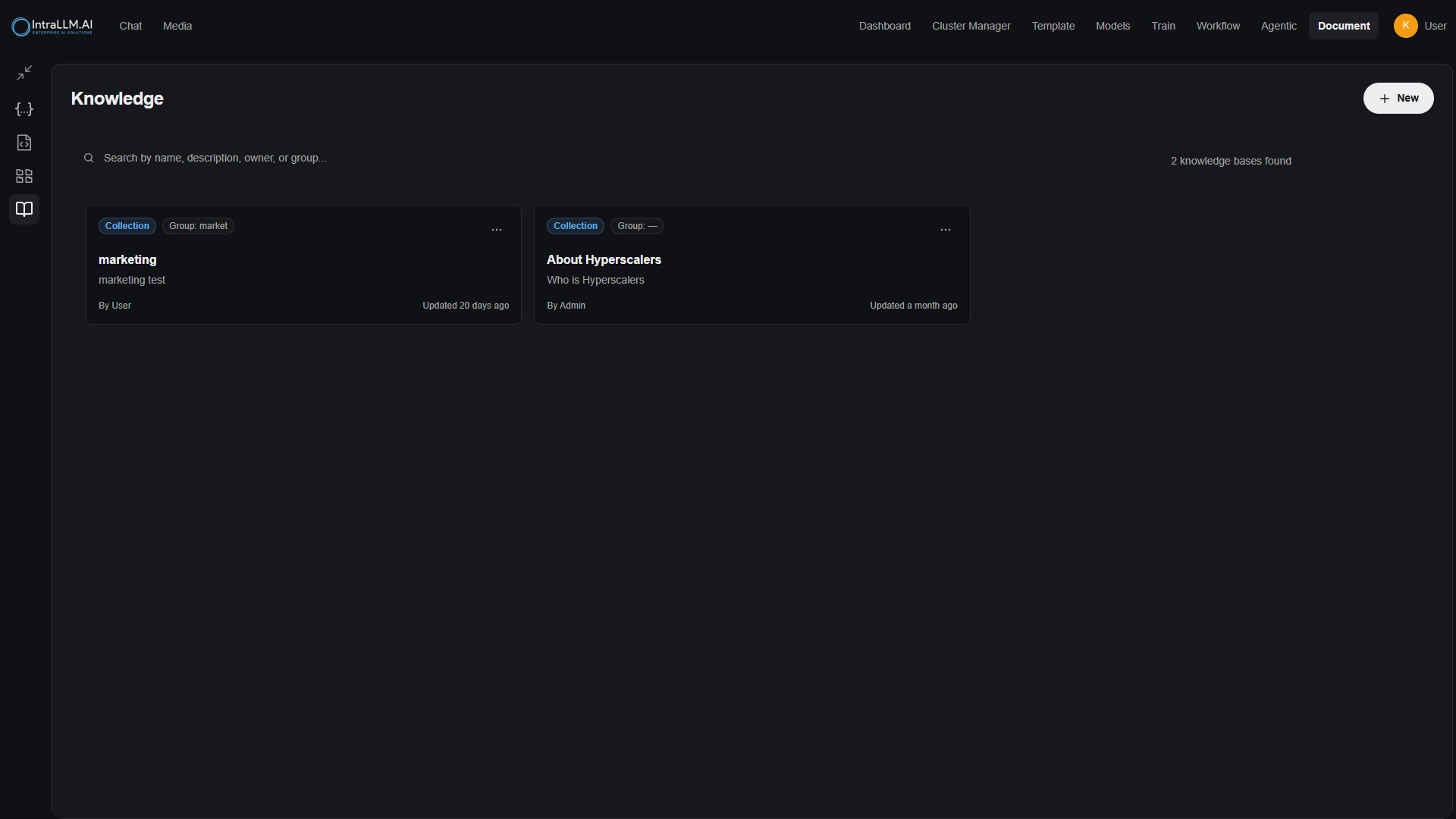
What a knowledge base is
A knowledge base (shown as Vector Database in the Work Station) stores your trusted content — documents, folders, and notes — in one indexed place. AI conversations can then retrieve from it, so answers are grounded in your actual material instead of the model's general knowledge.
That grounding mechanism is Retrieval-Augmented Generation (RAG):
- You ask a question referencing a knowledge base.
- The platform retrieves the passages most relevant to your question.
- The model composes an answer using those passages — with sources shown where citations are enabled.
Use knowledge bases when you want consistent, repeatable, correct-context answers without pasting the same material into every chat.
Where to find it
- Templates (Work Station) → Vector Database, or
- Document → Knowledge
Both views list your databases; search by name, description, owner or group; select New to create one.
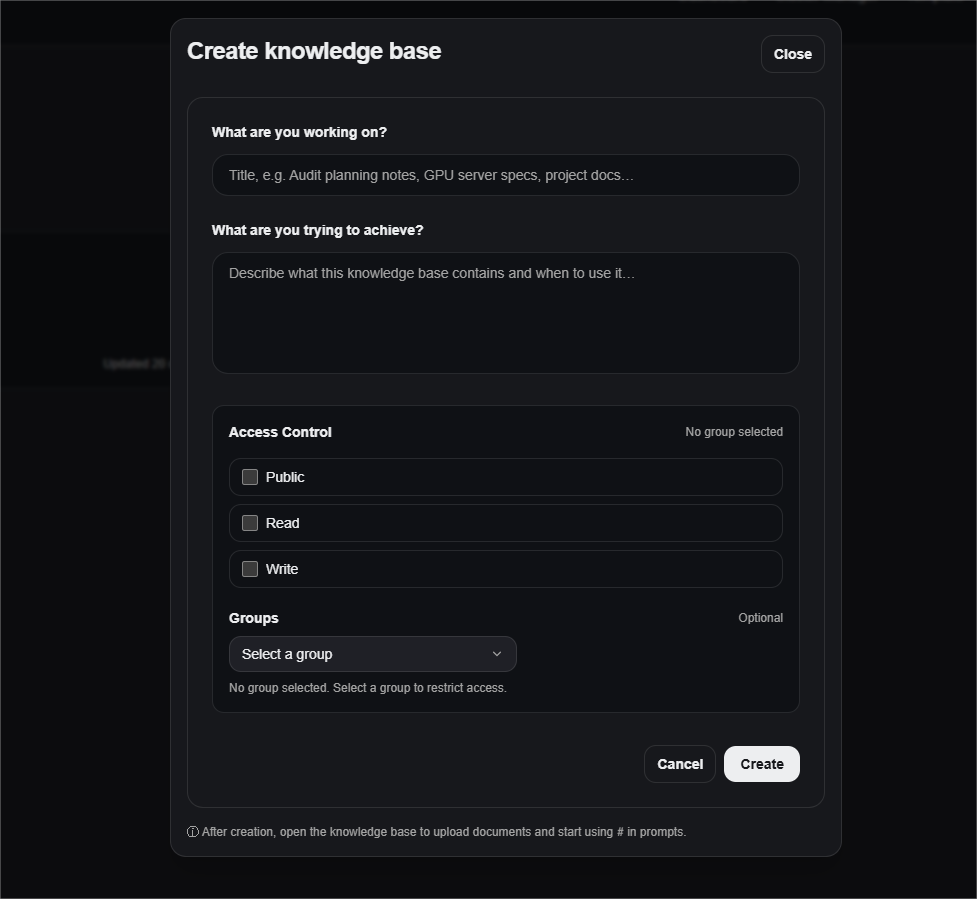
Create a knowledge base
- Select Create to open the setup dialog.
- Name — short and easy to type after
#in chat:gpu-server-specs,hr-policies,audit-planning-notes. - Description — what it contains and when to use it; this helps teammates choose correctly later.
- Group (optional) — restrict the database to members of a group (for example Engineering, Finance, Audit, Marketing).
- Access control — who may do what:
- Read — can reference it in chat.
- Full Access — can upload and edit content.
- Save.
Note:
Exact options vary by workspace policy. If unsure which access level suits your team, ask your administrator.
Add content
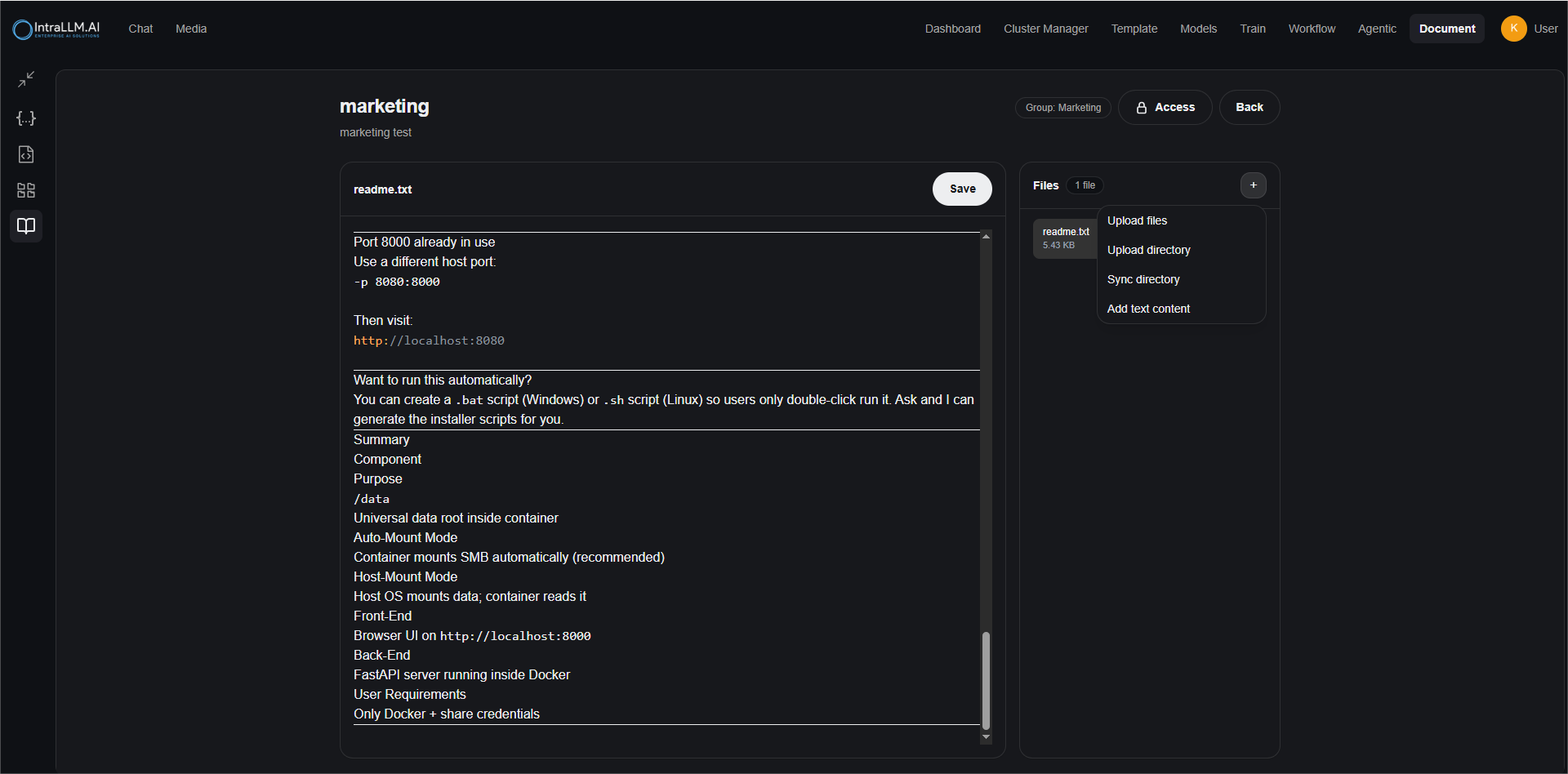
Open the database and use Add Files to add:
| Option | Use for |
|---|---|
| Plain text | Quick notes, FAQs, how-to guides written directly into the base. |
| Files | One or more documents (PDFs, Office files, text…), parsed and indexed automatically. |
| Directory | A whole folder of documents in one step. |
The database view shows a preview of attached files and the full file list; use the source view to read a plain-text version of an attachment. Content is indexed after upload — large collections take a little time before they are fully searchable.
Use it in chat
Reference a knowledge base by typing # plus its name (or selecting it from the picker):
#marketing Summarise our brand positioning and propose 5 tagline options.
Combine with explicit instructions:
Use #gpu-server-specs. Compare H100 vs H200 options and output a table with:
GPU, VRAM, target workloads, recommended chassis.
Best-practice prompts
- Demand evidence:
#hr-policies Answer using only this knowledge base. Quote the exact sentence for key claims. - Demand structure:
#audit-planning-notes Extract the key risks as JSON with fields: risk, impact, controls, owner.
Templates can attach knowledge bases too, so the grounding is automatic — see Creating Templates.
Access, groups and governance
- Use Groups to keep sensitive content (finance, HR) visible only to the right people.
- Use Read for consumers, Full Access for maintainers.
- If you can't see a knowledge base a colleague mentions, it's normally a group/permission setting. See Permissions.
Quality tips
- One topic per database — focused bases retrieve better than one giant "everything" base.
- Write a clear description including intended users and example questions.
- Prefer source-of-truth documents — specs, SOPs, official notes.
- Keep content tidy — headings, bullets and short sections retrieve better.
- Update on change — re-upload new versions when documents change.
Troubleshooting
| Symptom | Check |
|---|---|
| Doesn't appear in chat | Correct name after #; you have Read access; indexing finished (confirm files are listed). |
| Can view but not edit | You have Read, not Full Access — ask the owner/admin. |
| Answers ignore a document | The wording may not match; try a more specific question or check the document indexed correctly (View Source). |
| Outdated answers | Newer versions weren't uploaded — refresh the content. |